This video is 100% fake.
The studio, the laptop, the headphones, the lamp, and me. Here is exactly how I made it with Higgsfield and ElevenLabs, step by step, with my prompts.
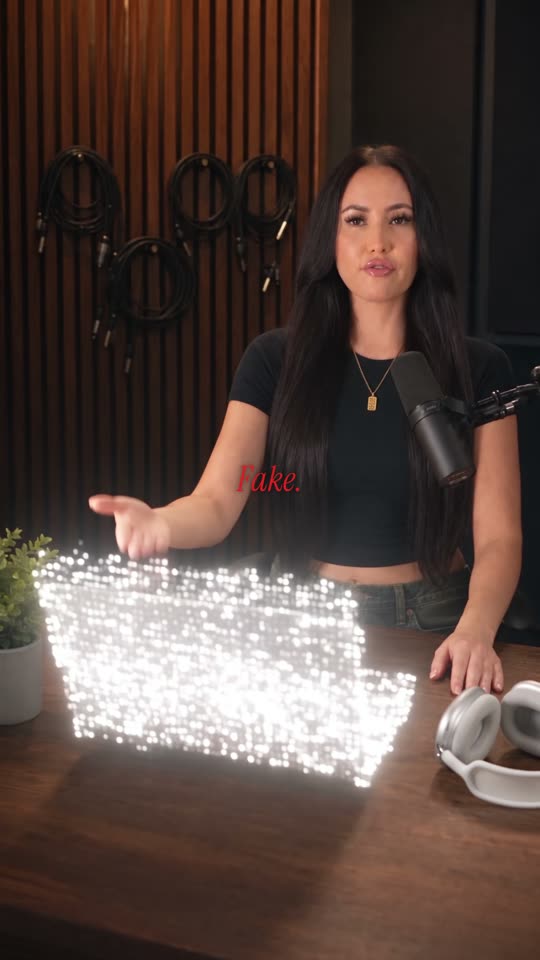
The laptop
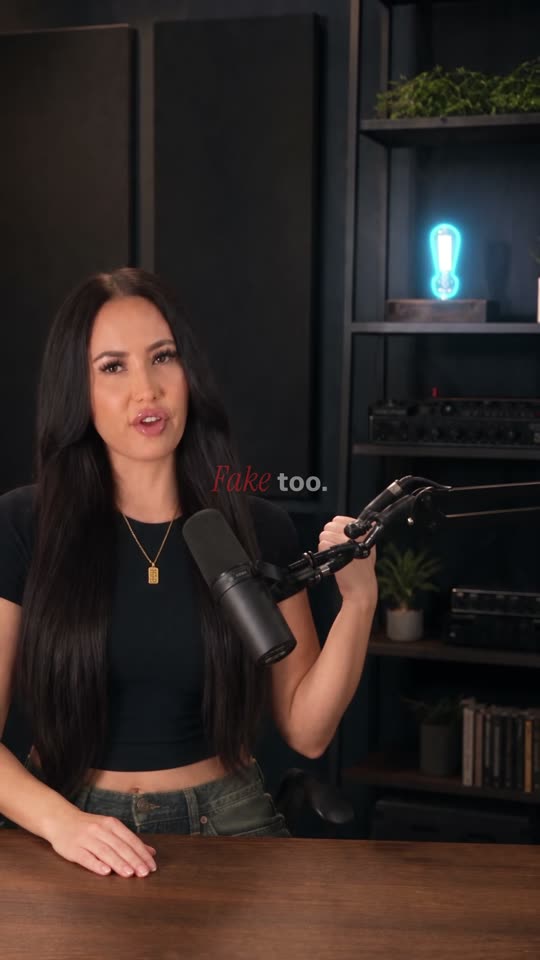
The lamp
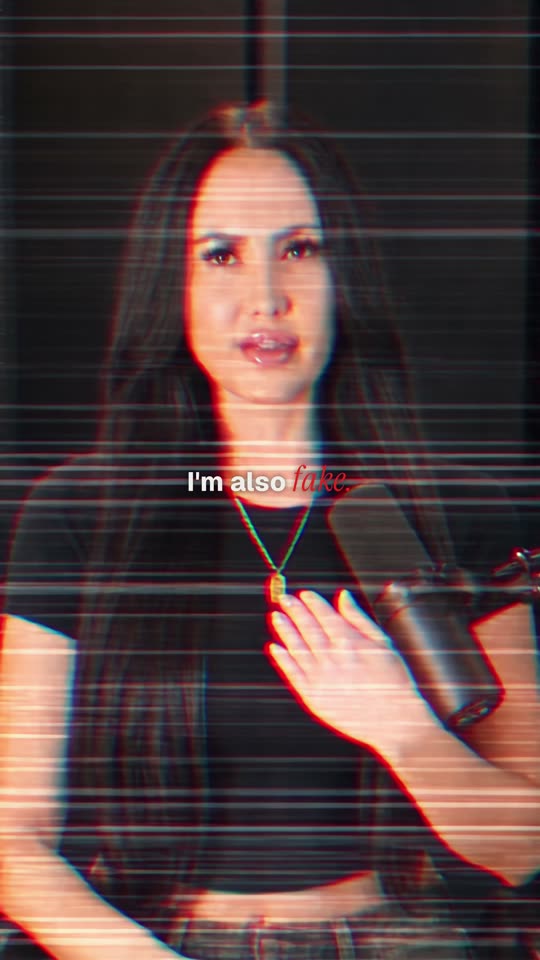
And me
How I made it in 5 steps.
Make a character sheet
One image of you: a face close-up next to your full outfit, on a plain grey background. This is how the AI keeps you the same in every shot. I made mine with Nano Banana Pro in Higgsfield from my own photos.
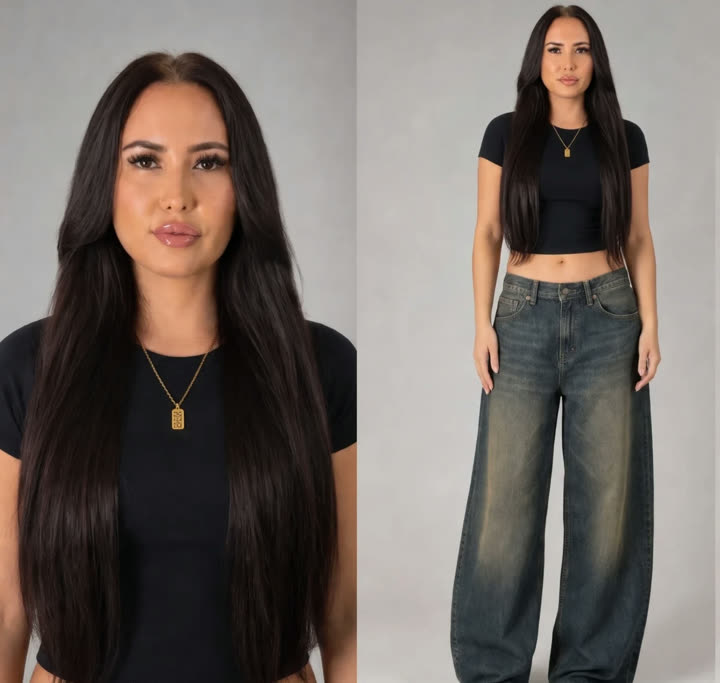
Remove everything you don't want in the video now (logos, details). The AI copies whatever it sees.
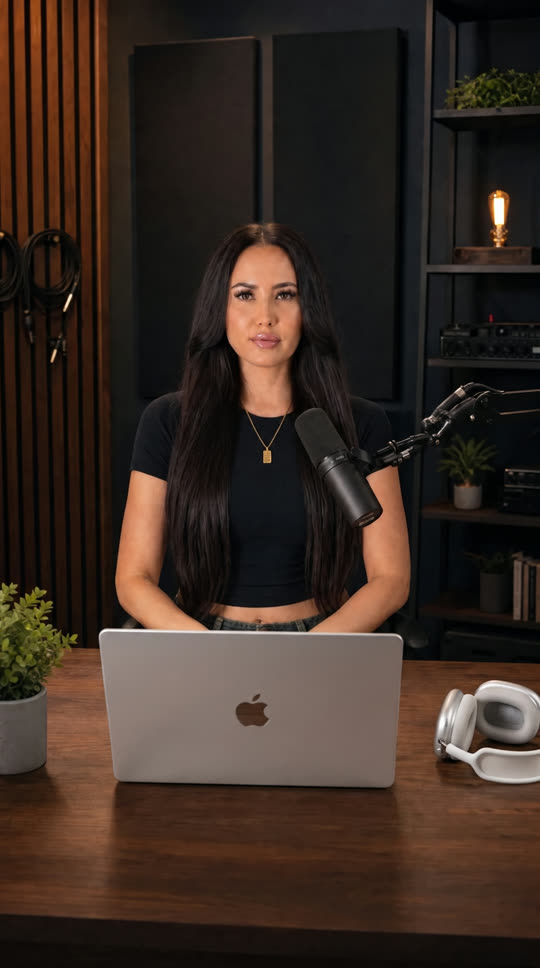
Put yourself in the studio
Now make one photo of you in your set. Use Nano Banana Pro again with your character sheet as reference. This photo becomes the first frame of your video.
Script + scene prompt
Write a 14-second script with one object per line. Then write the video prompt shot by shot: a time, the line, and what happens. My full prompt is in step 5.
The spoken text (this is exactly what your voice says):
The laptop on my desk? Fake.
Headphones? Fake.
The lamp behind me? Fake too.
And me? I'm also fake.
Want to know how I did this? Comment CLONE.
Voice + audio in ElevenLabs
Let your cloned voice read the script in ElevenLabs and download the audio. Keep it under 14 seconds, with a small pause between the lines so every effect gets its moment.
Everything in Higgsfield
Open video, model Seedance 2.5, mode Omni reference:
Image reference = your character sheet (step 1)
Audio reference = your ElevenLabs audio (step 4)
Prompt = your scene prompt (step 3)
14 s · 9:16 · 1080p · audio on
The full prompt I used in Seedance 2.5:
Vertical 9:16 multi-shot talking video, 14 seconds, photorealistic, in exactly the studio from the start image: wooden slat wall on the left, black acoustic panels, a black metal shelf on the right with a glowing Edison bulb lamp on it, black microphone on a boom arm, silver Apple MacBook Pro on the desk, white/silver Apple AirPods Max lying on the desk on the right, plant on the left, black office chair behind the desk.
The woman is exactly the person from the character sheet: long straight black hair, black short-sleeve crop t-shirt, gold rectangle pendant necklace. She stays seated behind the desk facing the camera and never turns around. CRITICAL FRAMING RULE: her jeans, waistband and belly button are NEVER visible in any shot. The camera is always slightly higher and the desk edge is always at or above her lower ribs, so only her chest, shoulders, arms and head are visible above the desk. Her crop top's bottom edge must stay hidden behind the desk in every shot.
She speaks English in a warm, natural, confident storytelling tone, using the voice in the audio reference, with exactly the same words and timing as the audio reference. Her lip movements match every word. She talks naturally with her hands like a real content creator, gestures always matching what she says.
Shot 1 (0-3.4s): smooth push-in to a medium shot. "What if I told you... this entire video is 100% fake?" Open palms, small eyebrow raise on "fake".
Shot 2 (3.4-5.9s): slight side angle, slow camera slide. "The laptop on my desk? Fake." She gestures with an open hand to the MacBook; on "Fake" the MacBook breaks apart into thousands of tiny glowing white digital particles that drift upward and fade; the desk in front of her is completely empty afterwards.
Shot 3 (5.9-7.6s): medium shot toward the right side of the desk. "Headphones? Fake." She points at the AirPods Max; on "Fake" they flicker twice like a hologram with a soft blue scanline effect and vanish completely; the desk spot is empty.
Shot 4 (7.6-9.6s): medium shot, slow zoom out, the Edison bulb lamp on the right shelf clearly visible and in focus. "The lamp behind me? Fake too." She points back with her thumb without turning. On "Fake too" ONLY the Edison bulb lamp itself flickers twice like a hologram with a soft blue scanline effect and vanishes completely, exactly like the headphones did. The shelf, the wall and everything else stay completely normal and unchanged, no blue glow on the shelf. The spot where the lamp stood stays EMPTY for the rest of the video.
Shot 5 (9.6-11.4s): medium close-up of her face, shoulders and upper chest (not too close). "And me? I'm also fake." Hand on her chest on "me"; on "also fake" her whole body glitches with RGB color split, horizontal scanlines and pixel break-up and she disappears completely.
Shot 6 (11.4-14s): medium-wide shot of the empty studio from the front: the FULL empty black office chair behind the desk is clearly visible (backrest, seat and armrests), nobody in frame, the empty shelf without the lamp visible, very slow push-in. Her voice continues off-screen: "Want to know how I did this? Comment CLONE."
Natural human behavior: normal blinking, breathing, small head movements, relaxed shoulders, realistic skin texture, no stiff pose. Warm moody lighting. No music, no on-screen text.
All 6 scenes from the video:
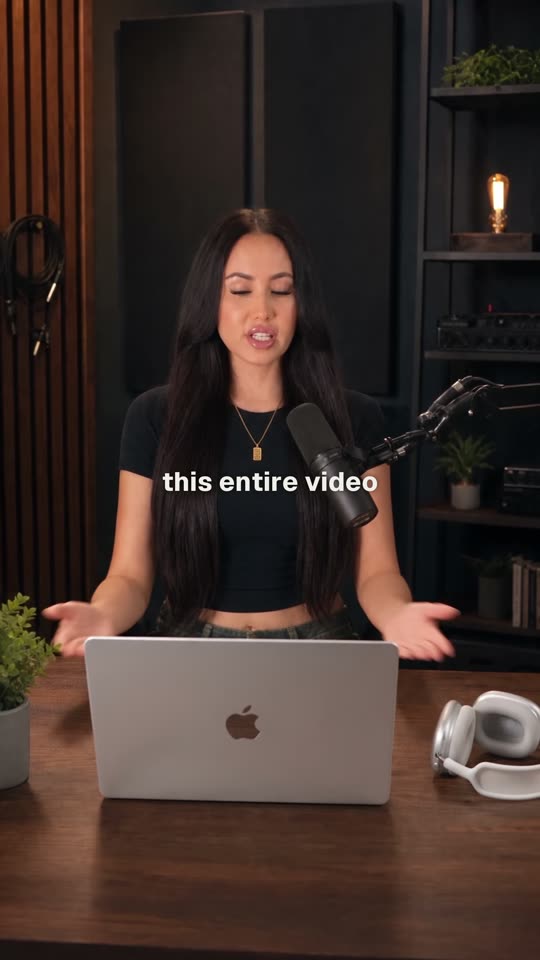
1 · The hook
2 · The laptop
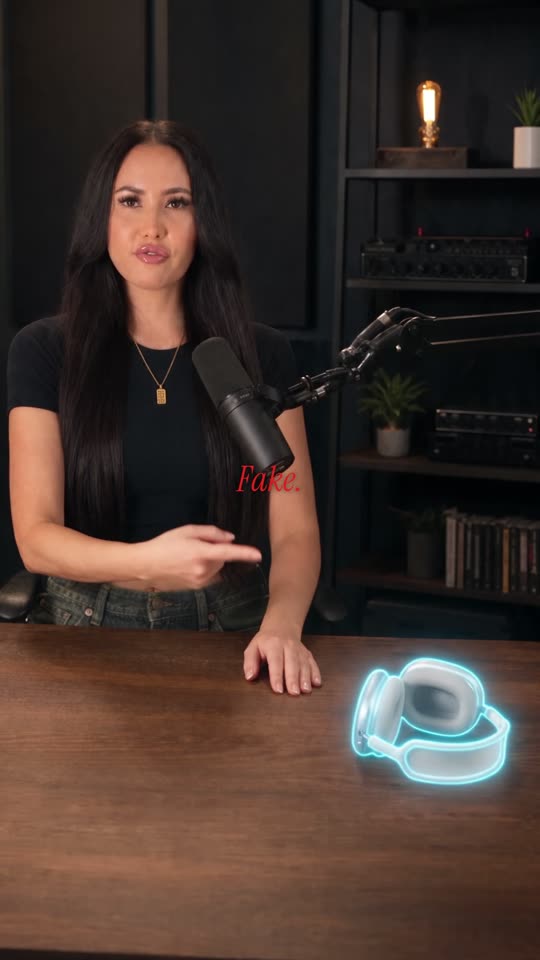
3 · Headphones
4 · The lamp
5 · And me
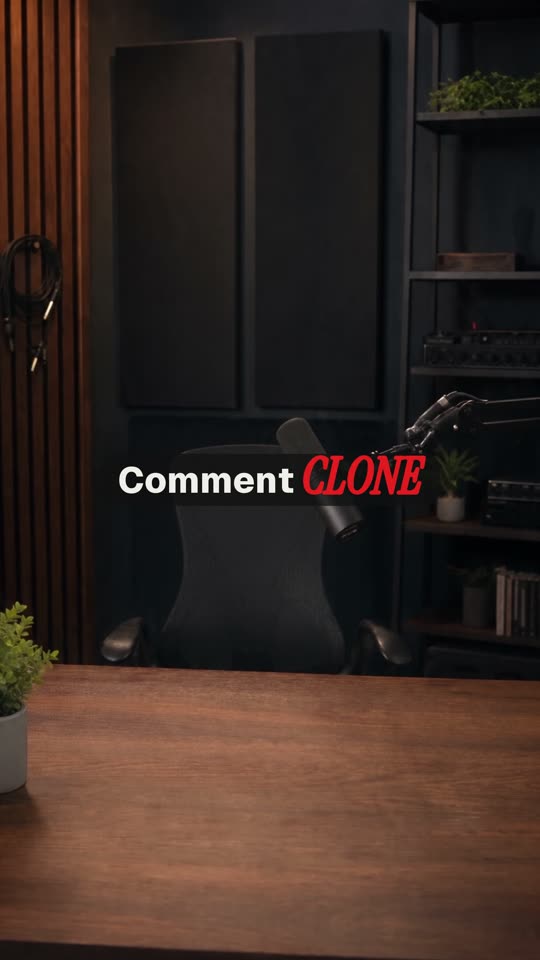
6 · Comment CLONE
Finish it in your editor: captions in the middle, a soft beat and a sound effect on every "fake".
WHAT YOU NEED
- Higgsfield: Nano Banana Pro for the character sheet and studio photo, Seedance 2.5 for the video.
- ElevenLabs: a voice clone of yourself for the audio.
- A few good photos of yourself and a 14-second script.
Made by @chelsea.gpt · Higgsfield and ElevenLabs are not affiliated with this guide.